
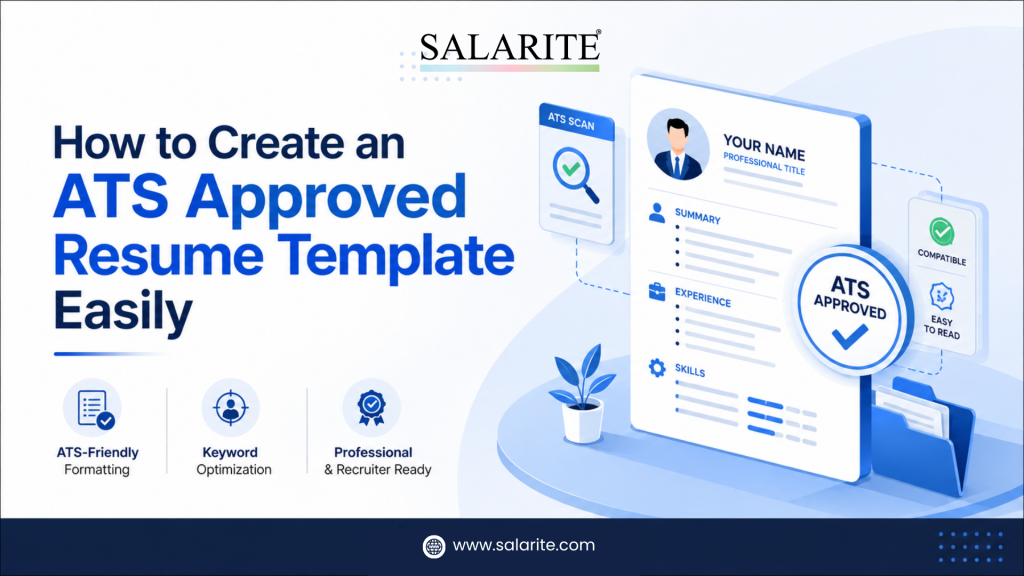
Every time you apply for a job online, your resume enters a digital screening process before any human sees it. An Applicant Tracking System (ATS) scans, parses, and ranks your application automatically. If your resume isn’t formatted correctly, it gets filtered out — regardless of your qualifications.
An ATS approved resume template is a pre-structured resume format specifically designed and tested to pass through ATS software without errors. It uses clean formatting, standard section headings, ATS-safe fonts, and a layout that automated systems can read accurately from top to bottom.
In 2026, 97% of Fortune 500 companies use Applicant Tracking Systems to scan resumes before they reach a recruiter. If your resume isn’t optimized for these systems, it may be rejected even if you’re the most qualified person who applied.
The solution is straightforward: start with a proven, ATS friendly resume template — and build your content inside it correctly.
Why Most Resume Templates Fail ATS Screening
Not all templates are created equal. Many popular resume designs — especially the visually attractive ones — are actually terrible for ATS compatibility.
The Problem With Design-Heavy Templates
Unlike templates built for ATS compliance, design-heavy formats with graphics, columns, or creative layouts cause parsers to misread or completely skip content. When a template uses icons, decorative borders, or multi-column structures, critical information can vanish from the ATS entirely.
Common template mistakes that cause ATS failure:
- Text inside tables or text boxes (invisible to most parsers)
- Headers and footers containing contact information
- Creative section labels like “My Journey” or “Expertise Hub”
- Images, logos, or profile photos embedded in the layout
- Unusual or decorative fonts that don’t render consistently
- Two-column formats where content gets scrambled during parsing
Why “ATS-Friendly” Labels Aren’t Always Accurate
Most templates labeled “ATS-friendly” have never been tested against a real ATS parser. A template can look clean visually but still fail parsing on platforms like Workday, Taleo, Greenhouse, or iCIMS — the systems most large employers actually use.
This is why choosing a purpose-built, genuinely tested ATS approved resume template matters. And it’s where a dedicated online resume builder like Salarite gives job seekers a real advantage over generic document editors.
Get More Interview Calls With an ATS Approved Resume Template
Free, recruiter-friendly, and built to pass ATS filters instantly.
What Does a Genuine ATS-Compliant Resume Look Like?
A properly structured ATS approved template has specific, non-negotiable characteristics that set it apart from generic formats.
Clean Single-Column Layout
Single-column resumes parse most accurately across all ATS platforms. Standard fonts like Arial or Calibri at sizes 10–12 are the most reliable for ATS friendly resume compatibility. This ensures content flows in a logical, top-to-bottom order that mirrors how parsers extract information.
Standard Section Headings
ATS software is programmed to recognize standard section labels. Use these exact headers:
- Contact Information — Name, phone, email, city/state, LinkedIn URL
- Professional Summary — 3–4 lines summarizing your value
- Work Experience — Reverse chronological order
- Education — Degree, institution, graduation year
- Skills — Both technical and relevant soft skills
- Certifications — If applicable
- Projects — If applicable (especially for freshers)
ATS-Safe File Format
In 2026, it’s best to submit your resume as a .docx file. This format is widely recognized as the most reliable for Applicant Tracking Systems because it ensures better parsing accuracy. Unless a job listing specifically requests a PDF, always default to .docx — or use a CV maker online that generates an ATS-optimized PDF automatically.
Keyword-Ready Structure
An ATS approved resume template should make it easy to insert keywords naturally. Each section should have clear space for role-specific language — job titles, tools, certifications, and skills that mirror the job description you’re targeting.
Stop Getting Filtered Out. Start Getting Interviews. You now know exactly what an ATS approved resume looks like — don’t waste that knowledge on a template that fails the test. Build your free ATS approved resume on Salarite in under 10 minutes. No signup. No watermark. No cost. Ever. Build My Free ATS Resume Now →
How to Build a Resume That Passes ATS: Step-by-Step
You don’t need design skills or expensive software. Follow these steps to build a fully ATS-compliant resume from scratch.
Step 1 — Choose the Right Starting Point
Your first decision is whether to build from a blank document, use a basic Word/Google Docs template, or use a dedicated online resume builder. For most people — especially freshers — a purpose-built online resume builder like Salarite is the fastest and most reliable choice because it handles all formatting automatically and is tested for ATS compliance.
If you’re building manually in Word or Google Docs:
- Use a single-column layout
- Set margins to 0.5–1 inch on all sides
- Choose a standard font (Calibri, Arial, or Georgia) at 10–12pt
- Use bold for section headings — no decorative styling
Step 2 — Write Your Contact Section Correctly
Place your contact information at the very top of the document — outside any text boxes, tables, or header fields. Include:
- Full name (largest text on the page — 14–16pt)
- Phone number (with country code if applying internationally)
- Professional email address
- City and state/country (not your full street address)
- LinkedIn profile URL
- Portfolio or GitHub link (if relevant to the role)
Never put contact information in the document’s header field. Many ATS platforms don’t parse headers and footers, which means your name and phone number could be completely invisible to the system.
Step 3 — Craft a Keyword-Rich Professional Summary
The summary is one of the first sections an ATS scans for relevance. Write 3–4 lines that include your job title, core skills, years of experience, and one measurable achievement.
Example for a fresher:
“Recent Computer Science graduate with hands-on experience in Python, SQL, and machine learning through academic projects and internships. Skilled in data analysis and model deployment. Eager to contribute to a data-driven product team.”
Example for an experienced professional:
“Digital marketing manager with 6 years of experience driving organic growth through SEO, content strategy, and paid media. Delivered 3x traffic growth for an e-commerce brand in under 18 months. Expert in Google Analytics, SEMrush, and HubSpot.”
Step 4 — Build Your Work Experience Section
List positions in reverse chronological order — most recent first. For each role, include:
- Job title (use the official title from your contract)
- Company name
- Employment dates (Month Year – Month Year format)
- 4–6 bullet points describing responsibilities and achievements
Bullet point formula: Action Verb + Task + Result/Impact
- “Reduced customer churn by 22% by implementing a proactive outreach program targeting at-risk accounts.”
- “Responsible for managing customer relationships.”
Start every bullet with a strong action verb: Led, Built, Developed, Reduced, Managed, Launched, Streamlined, Increased, Designed.
Step 5 — Create a Targeted Skills Section
Your Skills section is a keyword goldmine for ATS. List both hard skills (technical tools and abilities) and soft skills (relevant interpersonal capabilities). Use the exact phrasing from the job description.
Format example:
- Technical: Python, R, SQL, Tableau, Power BI, Excel
- Marketing: SEO, Google Ads, A/B Testing, Content Strategy, HubSpot
- Soft Skills: Cross-functional Collaboration, Stakeholder Communication, Problem-Solving
Avoid vague entries like “Microsoft Office” unless the job description specifically mentions it.
Step 6 — Format Your Education Section
For experienced professionals, education appears below Work Experience. For freshers, it often comes first. Include:
- Degree name and field of study
- Institution name
- Graduation year (or expected graduation date)
- GPA (if 3.5 or above)
- Relevant coursework, academic projects, or honors (for freshers only)
Example: Bachelor of Business Administration — Marketing University of Delhi | 2024 | GPA: 3.7/4.0
Step 7 — Proofread, Test, and Optimize
Before submitting, paste your resume into a plain text editor (like Notepad). If the structure appears disorganized or text overlaps, the ATS will likely struggle to parse it. Fix any structural issues before submitting.
Then run it through a free AI resume builder or ATS checker to see your keyword match score against the specific job description.
Explore more: Job seekers using an online resume builder are up to 2x more likely to get interview calls with ATS-friendly, recruiter-optimized resumes.
Create Your Resume Free on Salarite — ATS Ready in Minutes
When it comes to building a resume that actually passes ATS filters — especially for freshers and early-career professionals in India — Salarite is the most practical free solution available today.
What Is Salarite?
Salarite is not just a resume creation tool; it’s a complete ecosystem designed to help candidates create resumes that are tailored, optimized, and impactful — whether a candidate is a fresher or an experienced professional.
Salarite’s free resume builder lets you create a professional, ATS-compliant resume in minutes — with no design experience required, no signup, no watermarks, and free PDF download. It was built specifically to solve the problem most applicants face: their resume looks fine visually but gets rejected by ATS before any recruiter sees it.
Salarite’s Free Resume Builder — Key Features
| Feature | What It Does |
| ATS-approved template | Pre-tested layouts that pass ATS screening accurately |
| Guided section filling | Step-by-step prompts for every resume section |
| CV format for freshers | Fresher-specific section order (Education → Skills → Projects) |
| Keyword optimization | Prompts to match industry-specific and job-specific terms |
| Free PDF download | No watermark, no hidden charges, instant download |
| India-specific design | Built for Indian job markets, universities, and recruiter expectations |
| No signup required | Start building and download immediately |
Who Is Salarite Built For?
Salarite is the right tool for:
- Freshers applying for their first job who need a properly structured entry-level resume
- Recent graduates from Indian universities targeting banking, FMCG, IT, or sales roles
- Mid-career professionals wanting to update their resume quickly without starting from scratch
- Career changers who need to reframe their experience for a new industry
- Anyone who wants a genuinely ATS friendly resume without paying for premium tools
How to Build Your Resume on Salarite in 5 Minutes
- Go to salarite.com
- Select your experience level: Fresher, Intern, or Experienced
- Fill in your contact information and professional headline
- Add your education, skills, and work/internship history
- Download your ATS approved resume as a free PDF — instantly
Salarite’s free AI resume builder for freshers helps you create a job-ready resume in minutes, beat ATS filters instantly, and land your first job faster — 100% free.
ATS Approved CV Format for Freshers: What’s Different?
A CV format for freshers is structured differently from an experienced professional’s resume. When you have limited work history, the order and emphasis of sections change significantly.
Recommended CV Format for Freshers
- Contact Information
- Career Objective / Professional Summary (3–4 lines stating your goals and key skills)
- Education (most recent degree first, with GPA and relevant coursework)
- Skills (technical tools, programming languages, platforms — prioritize hard skills)
- Internships (treat these like work experience — use achievement-based bullets)
- Academic Projects (describe the project, your role, tools used, and outcome)
- Certifications (online courses, industry certifications, coding bootcamps)
- Extracurriculars or Volunteer Work (leadership roles only)
Tips for Freshers Building Their First ATS Resume
- Keep it to one page — anything longer raises red flags at the entry level
- Use your internship project outcomes as quantified bullets (“Increased social media reach by 40% during a 3-month internship campaign”)
- List skills using the exact terminology employers use — not informal variations
- Include a career objective that naturally contains your target job title and 2–3 key skills
- Use an online resume builder to cross-check your keyword match before every application
Related: Candidates using a modern cv maker online often see faster shortlisting thanks to clean formatting, keyword optimization, and professional templates.
Common Mistakes That Ruin an Otherwise Good ATS Resume
Even candidates with strong experience lose opportunities because of avoidable formatting errors.
Mistake 1: Storing Contact Info in Headers or Footers
Most ATS systems don’t parse document headers and footers. Your name, phone number, and email must sit in the main body of the document at all times.
Mistake 2: Using Tables to Format Skills or Experience
Tables look organized on screen but are frequently misread by ATS parsers. Content inside table cells may be extracted in the wrong order or skipped entirely. Always use plain text lists.
Mistake 3: Sending a PDF When .docx Is Safer
While PDFs maintain consistent formatting, they can occasionally create problems with ATS readability. Opting for a .docx file gives your resume the best chance of being correctly processed by the system.
Mistake 4: Keyword Stuffing or Invisible Text
Pasting keywords in white text at the bottom of your resume is a tactic that modern ATS software now detects and penalizes. Keywords must appear naturally in context — in your summary, bullets, and skills section.
Mistake 5: Using a Generic Resume for Every Application
Each application deserves a tailored version of your resume. A single generic resume rarely scores above 50% on ATS keyword matching — well below the threshold most recruiters set.
Free Tools to Check and Improve Your ATS Resume Score
After building your resume, validate it with one of these free tools before submitting:
- Salarite — A purpose-built online resume builder and CV maker online with ATS compliance built into every template. Start at www.salarite.com
- Jobscan — Paste your resume and the job description to get a keyword match percentage
- Resume Worded — Detailed section-by-section feedback on phrasing, keywords, and formatting
- SkillSyncer — Free keyword matching tool comparing your resume against job postings
- Plain Text Test — Paste your resume into Notepad; if it looks clean and organized, your ATS parsing will be strong
ATS Resume Template: Quick Checklist Before You Submit
Run through this list before submitting any application:
- Contact information at the top of the body (not in headers or footers)
- Standard section headings used throughout
- Single-column layout with no tables or text boxes
- Standard font (Calibri, Arial, Georgia) at 10–12pt
- Keywords from the job description placed naturally
- No images, graphics, icons, or decorative elements
- File saved as .docx or ATS-safe PDF
- Every bullet point begins with a strong action verb
- At least 3 bullets include quantified achievements
- Proofread for spelling and grammar errors
- Tested with a free ATS checker or keyword match tool
Author’s Thought
An ATS approved resume template isn’t just a design choice — it’s the structural foundation that determines whether your qualifications reach a human recruiter at all. Get the template wrong, and your experience, skills, and achievements become invisible.
The fastest path to a fully ATS friendly resume is to start with a tool built for that purpose. Salarite’s free AI resume builder handles the formatting, structure, and ATS optimization automatically — so you can focus entirely on making your content compelling.
Whether you’re building your first resume as a fresher or refreshing your profile for a new role, the steps in this guide give you everything you need to create a resume that beats the ATS and impresses the recruiter behind it.
Build your free ATS approved resume at salarite.com — no signup, no watermark, ready in minutes →
FAQs
It is a resume format designed to pass Applicant Tracking Systems using a clean layout, standard headings, and no graphics or tables — making it a truly ATS friendly resume.
Paste it into Notepad — if the content looks jumbled or missing, your resume will fail ATS. Use an online resume builder like Salarite or Jobscan to check instantly.
Yes. Salarite offers a free builder with a structured CV format for freshers that automatically arranges Education, Skills, and Projects in the correct ATS-friendly order.
Always use .docx. It is the most accurately parsed format across all major ATS platforms. Any reliable CV maker online should offer .docx download as a default option.
Contact Information, Summary, Work Experience, Education, and Skills. Always use standard headings — never creative labels — for an ATS friendly resume.
Yes — no signup, no watermark, no charges. Salarite is a completely free online resume builder and CV maker online. Build and download your ATS resume instantly at salarite.com/resume-builder.
Include 10–15 keywords from the job description, placed naturally across your Summary, Skills, and Experience sections. A free AI resume builder like Salarite helps you identify and place them accurately.
A regular resume is designed for human eyes. An ATS resume prioritizes machine readability — simple layout, standard headings, and strategic keywords. Use a CV maker online to build one that satisfies both.