
You just finished your degree. You’ve got skills, a couple of internships maybe, and a growing list of companies you want to apply to. But your resume looks like a Word document from 2011, and you’re not sure it’s even getting past the company’s screening software.
That’s a real problem — and it’s more common than most freshers realize.
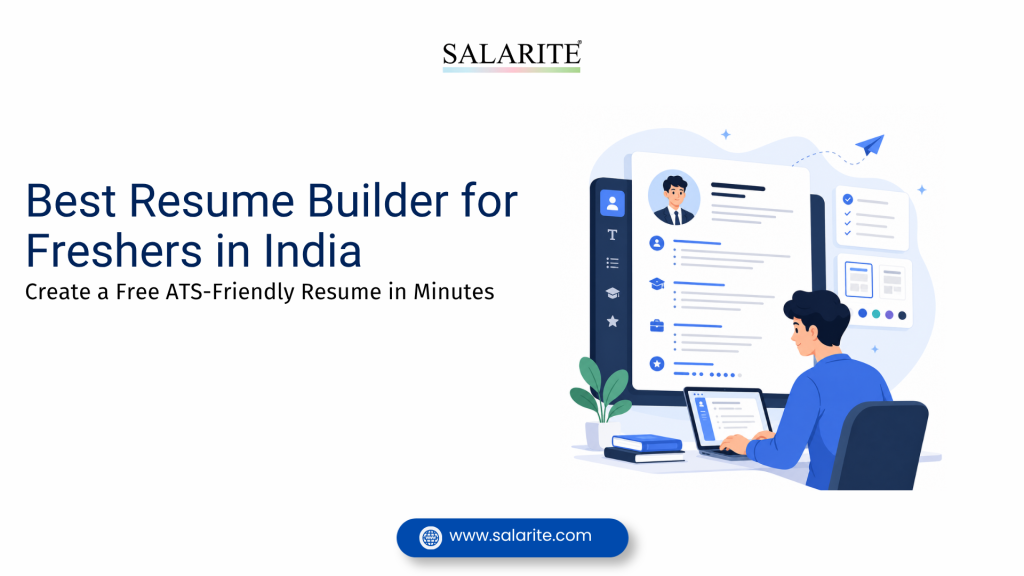
This guide covers how to use a resume builder for freshers to create a professional, ATS-compliant resume without hiring a designer, paying for a template subscription, or spending three days on formatting.
Quick Answer
A resume builder for freshers is an online tool that helps first-time job seekers create professional resumes using pre-built templates, guided prompts, and ATS-friendly formatting. The best ones are free, mobile-accessible, and let you download your resume in PDF format. Salarite offers a free resume builder specifically built for freshers applying to Indian job markets.
What Is a Resume Builder for Freshers?
A resume builder for freshers is an online platform that walks you through resume creation step by step — you fill in your details, the tool handles the layout, formatting, and structure.
For someone who has never written a professional resume before, this matters. Most freshers waste hours in Word or Google Docs trying to align columns, adjust margins, or make bullet points consistent. A good resume builder removes all of that.
The better ones do something extra: they format your resume so it can pass through ATS (Applicant Tracking System) software — the programs that large companies use to filter applications before a human ever sees them.
Read More: Free Resume Builder Online — ATS Compliant Resume Build your resume for free using templates that pass ATS screening. No design skills needed, no payment required.
Why ATS Compatibility Matters for Freshers
Here’s something most job seekers don’t know: over 70% of resumes get rejected by ATS software before a recruiter reads them. This happens because the resume uses graphics, tables, multi-column layouts, or non-standard fonts that the software can’t parse correctly.
For freshers, this is especially frustrating. You spend time writing a decent resume, apply to 30 companies, hear nothing back — and assume you weren’t qualified. But often the resume never reached a person in the first place.
An ATS compliant resume uses:
- Standard section headings (Education, Work Experience, Skills, Projects)
- Single-column or simple two-column layouts
- Readable fonts like Arial, Calibri, or Georgia
- Keywords from the job description placed naturally in context
- Clean PDF output without embedded images or decorative headers
If your resume doesn’t meet these conditions, it gets filtered out automatically — regardless of your qualifications.
Resume Format for Freshers: What Should It Include?
A fresher’s resume is different from an experienced professional’s. You don’t have five years of work history to fill space with. That’s fine. What you do have is education, projects, internships, certifications, skills, and extracurriculars — and a good resume format for freshers puts these in the right order.
Recommended Resume Structure for Freshers
| Section | What to Include |
| Contact Information | Name, phone, email, LinkedIn, city |
| Career Objective | 2–3 lines about your goals and what you bring |
| Education | Degree, college name, year of passing, percentage/CGPA |
| Internships / Projects | Company or project name, your role, results |
| Skills | Technical and soft skills relevant to the job |
| Certifications | Online courses, workshops, training programs |
| Extracurriculars | Leadership roles, events, competitions |
Keep the resume to one page. Recruiters spend an average of 6–7 seconds scanning a resume on first pass. One page, well-organized, tells your story better than two crowded pages.
Read More: How to Create Resume Online Free A step-by-step walkthrough for freshers who want to create resume online in under 20 minutes.
How to Create a Resume Online Free Using Salarite
Salarite’s free resume builder online is built for freshers applying to jobs in India. It doesn’t require design experience, a subscription, or a credit card. Here’s how to use it:
Step 1: Open the Resume Builder
Go to Salarite’s resume builder and select a template. Start with any ATS-friendly template — you can always change it later.
Step 2: Enter Your Personal Details
Add your name, contact number, email address, and LinkedIn profile URL. Keep the email professional (firstname.lastname@gmail.com, not randomnickname99@).
Step 3: Write Your Career Objective
This is 2–3 lines at the top of the resume. Don’t write generic statements like “seeking a challenging position.” Write something specific: what role you want, what you studied, and what you want to contribute. For example: “Computer Science graduate with hands-on experience in Python and SQL, looking for a data analyst role where I can apply analytical skills to real business problems.”
Step 4: Add Your Education
List your most recent qualification first. Include your college name, degree, specialization, year of passing, and CGPA or percentage. If you’re in final year, mention “Expected graduation: [Month, Year].”
Step 5: Add Internships and Projects
This is where most freshers undersell themselves. Even a one-month internship has outcomes you can describe. Don’t just list what you did — write what changed because of what you did. “Assisted in social media management” is weak. “Grew Instagram engagement by 18% over two months through scheduled content and hashtag optimization” is a real data point.
Step 6: Add Skills
List technical skills (tools, software, programming languages) and soft skills separately. Match your skills to the job description of the roles you’re targeting.
Step 7: Optimize for ATS
Salarite’s ATS resume tips explain how to integrate job-relevant keywords into your resume naturally. Read the job description, identify 5–7 keywords, and make sure they appear in your skills or experience sections in context.
Step 8: Download and Apply
Download your resume as a PDF. Most job portals accept PDF. Don’t submit a .docx file unless specifically requested — formatting can shift when opened on different devices.
Free Resume Builder vs Paid Resume Builder: What Freshers Actually Need
| Feature | Free Resume Builder | Paid Resume Builder |
| ATS-friendly templates | Yes (most platforms) | Yes |
| PDF download | Yes | Yes |
| AI-generated content suggestions | Sometimes | Usually |
| Multiple template options | Limited (5–15) | Extensive |
| Custom domain resume link | Rarely | Often |
| Recruiter visibility tools | No | Sometimes |
| Worth it for freshers? | Yes | Not necessary |
Freshers don’t need premium features. A clean, ATS-compliant resume with accurate content will outperform a visually complex premium template every time. Spend your time on the content — not the design.
AI CV Builder: What It Does and When It Helps
Some resume builders now include an AI CV builder feature that suggests content based on the job role you’re targeting. You enter your job title or target industry, and the tool generates bullet points, objective statements, or skill recommendations.
This can be useful if you’re stuck staring at a blank screen. But there’s a catch: AI-generated content tends to sound generic. “Managed cross-functional teams to deliver results” could describe almost anyone. Recruiters see through it.
Use AI suggestions as a starting point, then rewrite them in your own words using specific examples. The specificity is what makes a resume stand out — and specificity only comes from your actual experience.
Common Resume Mistakes Freshers Make
1. Using a photo or decorative header Indian job portals don’t require photos unless it’s specifically mentioned. Photos and headers with graphics often get stripped by ATS systems entirely.
2. Writing a vague objective statement “I am a hardworking person who wants to grow” tells a recruiter nothing. Write something concrete about your field and what you’re applying for.
3. Listing responsibilities instead of outcomes “Handled customer calls” vs. “Resolved 40+ customer queries daily with a 95% satisfaction rating” — one is a task, one is a result. Always lead with results where possible.
4. Using the same resume for every application Tailor your skills section and objective to match each job posting. It takes 5 minutes and significantly improves ATS match scores.
5. Ignoring the PDF conversion step A resume that looks perfect in Word can break when converted. Always preview the PDF before submitting.
Read More: Resume for Applicant Tracking System — ATS Resume Tips Practical ATS resume tips on keyword placement, formatting rules, and what recruiters actually see after ATS filtering.
Expert Tips for Freshers Building Their First Resume
Tip 1: Start with the job description, not the template. Read what the company is asking for. Build your resume around those requirements. The template is just a container.
Tip 2: Quantify everything you can. Numbers stand out. Even small ones. “Wrote 12 reports” is more credible than “wrote reports regularly.”
Tip 3: List projects the way you’d list jobs. Each project should have a title, a brief description, your role, and the outcome. Treat your final year project like professional experience — because for freshers, it often is.
Tip 4: Keep your LinkedIn updated and matching your resume. Recruiters check LinkedIn after reading your resume. Inconsistencies between the two raise questions.
Tip 5: Use Salarite to create your resume online and check it against ATS criteria before applying. It takes about 20 minutes and saves you from weeks of silence in your inbox.
Resume Checklist for Freshers
Before you submit, run through this:
- [ ] One page length
- [ ] Contact info complete (phone, email, LinkedIn)
- [ ] Objective statement is specific to the role
- [ ] Education section lists CGPA or percentage
- [ ] At least one internship or project with a measurable outcome
- [ ] Skills section includes keywords from the job description
- [ ] No photos, graphics, or decorative elements
- [ ] Downloaded as PDF and previewed before submission
- [ ] Spelling and grammar checked
- [ ] ATS compatibility verified
Author Thought
Getting your first job is partly about qualifications, but it’s also about getting your resume in front of the right person. That requires two things: a format that can pass ATS screening, and content that gives a recruiter a reason to call.
Most freshers focus on the wrong problem — they try to make their resume look impressive instead of making it readable and relevant. A clean, one-page, keyword-optimized resume built with the right tool will consistently outperform a beautifully designed resume that ATS software can’t read.
Salarite’s free resume builder for freshers handles the structure. You handle the content. That combination gets you to interviews.
Start Building Your Resume Now
Create Your Free Resume on Salarite →
No signup fees. No design skills required. ATS-compliant templates built for Indian job markets. Download your resume in PDF and start applying today.
FAQs
A: A single-column, reverse-chronological format with sections for objective, education, skills, internships, and projects. Keep it to one page and use ATS-friendly fonts like Calibri or Arial.
A: Yes. Salarite offers a free resume builder online with ATS-compliant templates. No credit card required.
A: Use standard section headings, avoid tables and graphics, include keywords from the job description, and download as a clean PDF. Salarite’s ATS resume guide covers each step in detail.
A: Yes. A specific, well-written objective shows you know what you want and helps the recruiter quickly understand which role you’re applying for.
A: List academic projects, freelance work, college committee roles, online courses, and certifications. Treat your final-year project as professional experience — write it with a title, role, and outcome.
A: You can use it to generate a draft, but rewrite every section in your own words with your specific details. Generic AI content is easy for recruiters to spot.
A: 8–12 relevant skills. Include both technical and soft skills. Prioritize skills that match the job description.
A: One page. If you’re struggling to fill a page, that’s normal — focus on projects, certifications, and extracurriculars.
A: PDF in most cases. It preserves formatting across all devices and is accepted by most ATS platforms.
A: Use Salarite’s resume builder to check formatting compliance. Some tools also offer an ATS score scan feature that shows how well your resume matches a job description.